A website per team, written as pages
Each team writes its site in Blade from a code editor inside its workspace. A layout wraps the pages, every page has its own address and SEO fields, and a backup is one click away before any change.
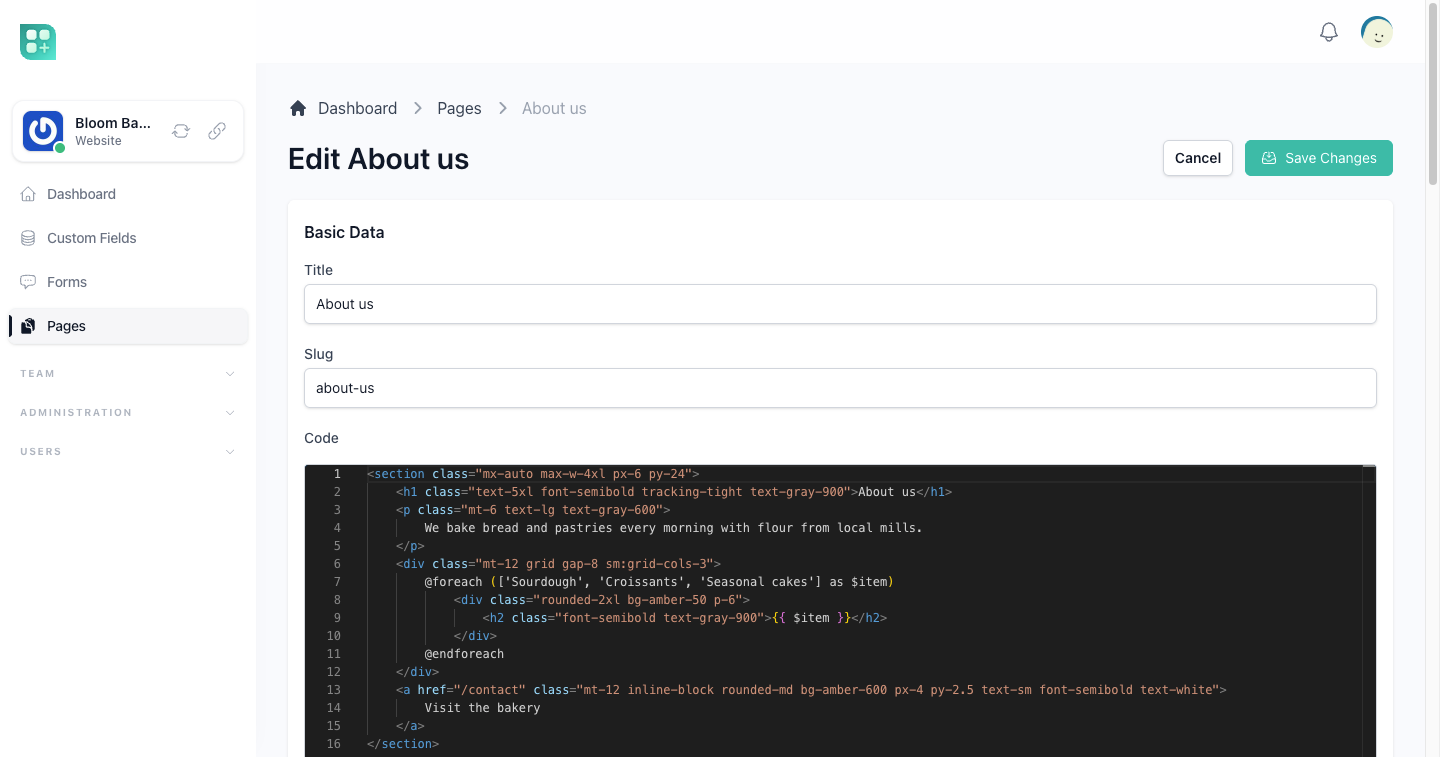
Write the page, not a form about the page
Each page is Blade code edited with syntax highlighting, the same code the site renders. Anything Blade and Tailwind can draw, the page can show.
How pages work →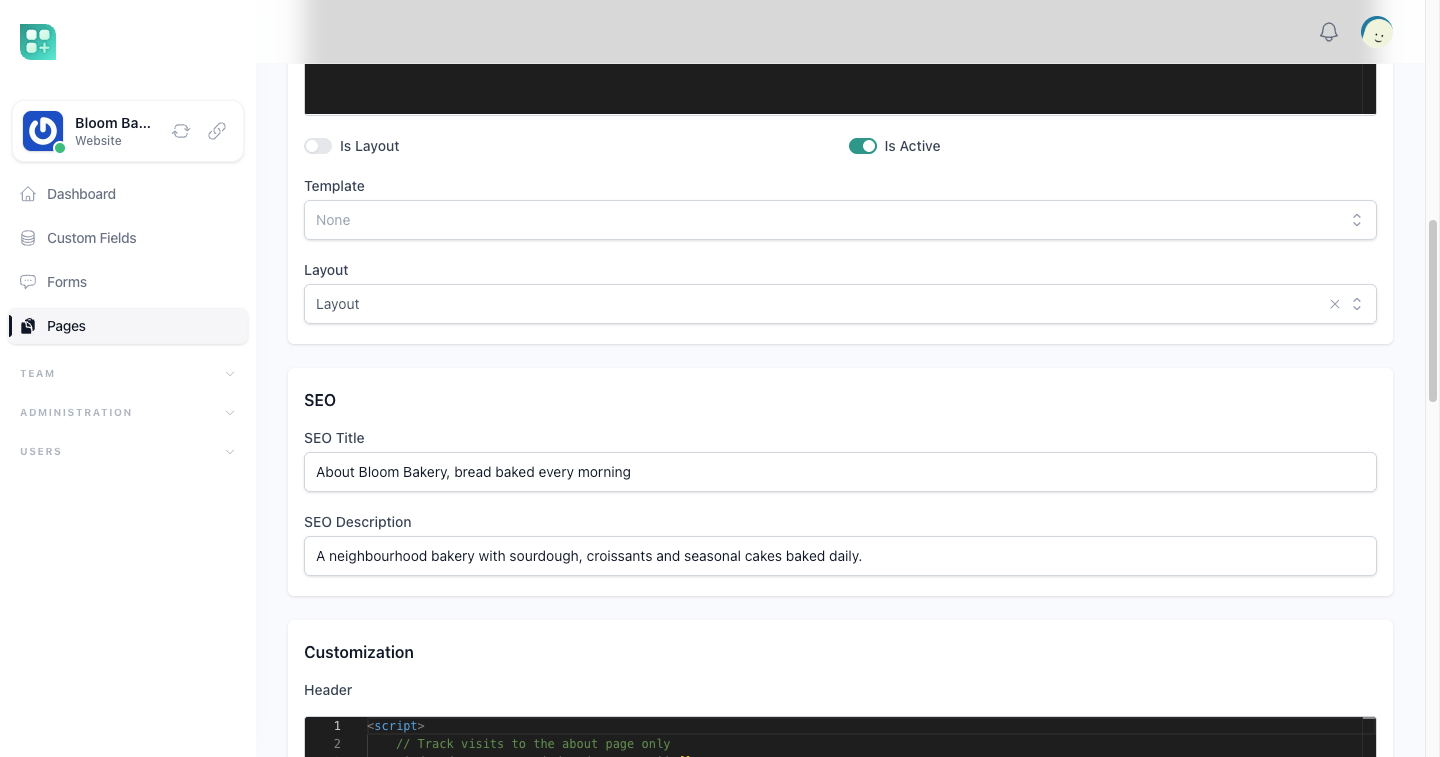
One layout for the whole site
Mark a page as a layout and it becomes the shell of the site: the header, the menu and the footer written once. Every page that uses it is rendered inside it.
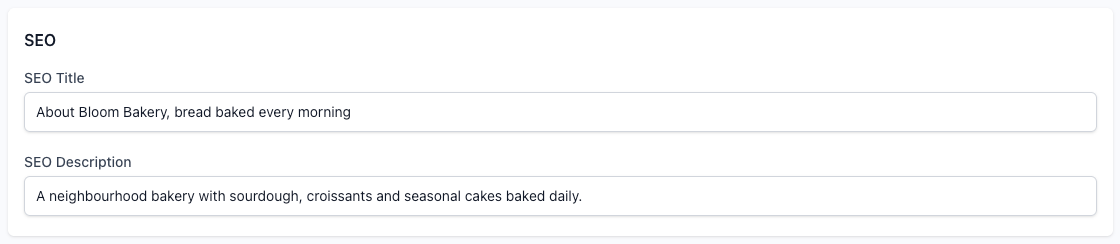
Its own address, title and description
A page gets its address from its title, and you change it when you want another. The SEO title and description go into the page head, and a page without an SEO title uses its own title and the team name.

Scripts for one page only
A header and a footer block per page add a script, a style or a tracking tag to that page alone, on top of what the layout already adds.
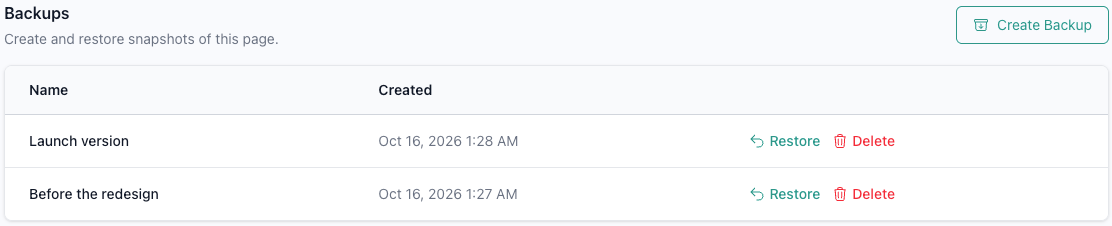
A backup before every risky change
Save a named snapshot of the page and restore it later with one confirmation. The snapshot keeps the code, the address, the SEO fields and the layout it used.
How backups work →
Pages that list and show your records
Give a page a template type and its address takes a pattern, like a category listing with an optional slug. The records and categories that match the address arrive in the page ready to loop over.
How template types work →Clone a page, switch it off, bring it back
Clone a page to start from one that already works. Switch a page off to take it out of the site without losing it, and the team owner can restore a page that was deleted.
