Forms written in the page, entries stored for you
Write an ordinary HTML form in any page and point it at the site. The fields are validated from their own attributes, every submission is saved as an entry, and the team is emailed a copy.
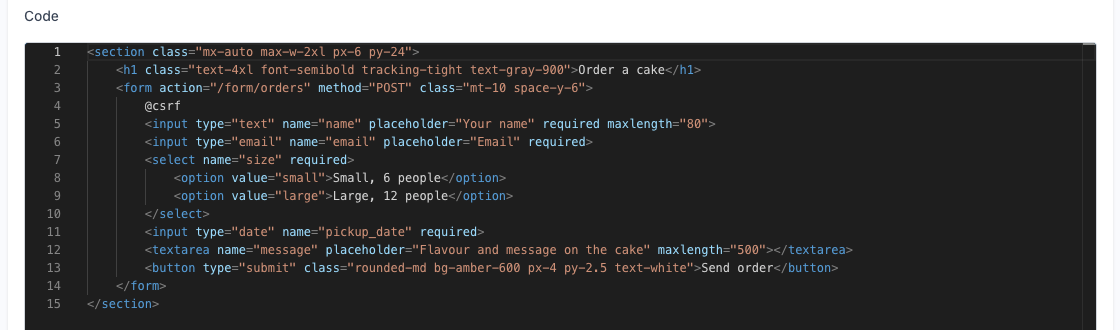
The HTML is the form definition
A required field is required, an email field must be an email, a select only accepts its own options, and a length limit is enforced. The rules come from the form itself, so there is nothing to keep in step.
How to write a form →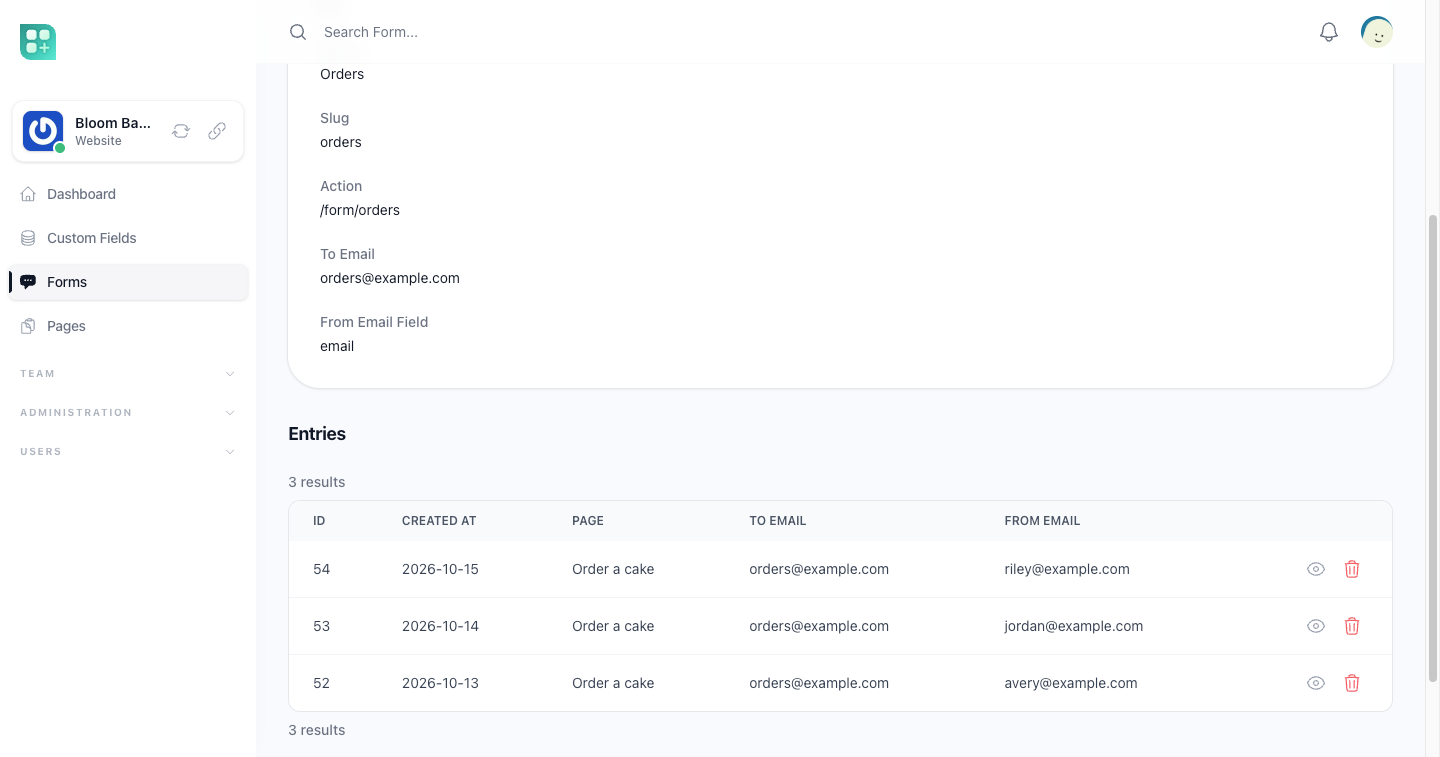
Every submission is an entry
Each form lists its entries with the page they came from and every value that was sent. The first valid submission of a new form creates the form for you.
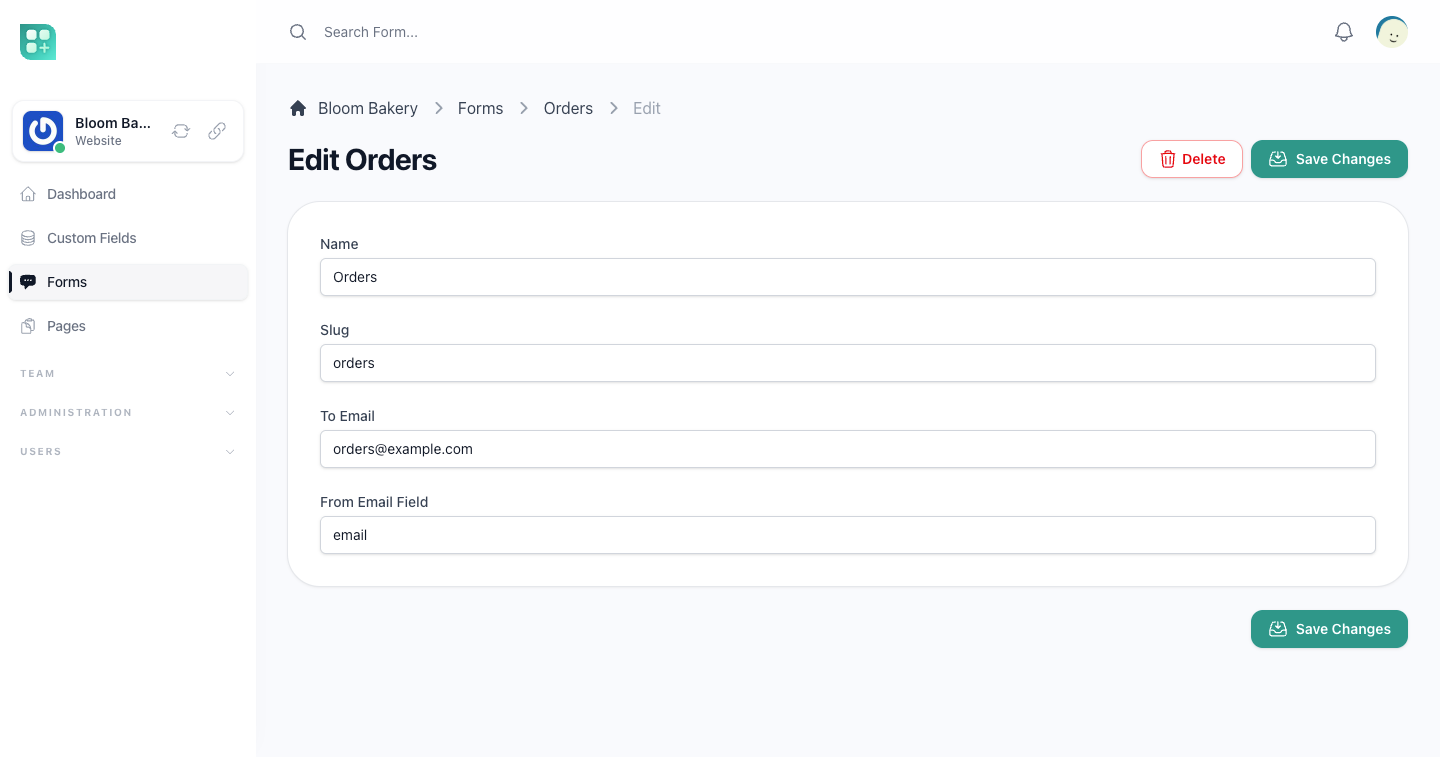
A copy in the inbox that matters
Give the form an email address and each entry is sent there. Name the field that holds the visitor's email and the message comes from them.
Files and spam, handled
Files a visitor attaches are saved in the team's file library and count against its space. A file the team has no room for is refused, and the visitor sees why in the site's error window with what they typed kept. Add the reCAPTCHA component to a form and the site checks it with the team's own keys before anything is stored.
Files a visitor uploads, kept with the entry
Put the site's uploader inside a form and the files a visitor uploads with it, signed in or not, are kept with the entry: each file on its own row in the entry and its own line in the email. Only that visit's own files are taken, and the uploader's required and multiple are respected. Once the form is sent the visitor sees that it arrived, and the contact form of the default theme shows it is sending while it travels.
How to let a visitor send files →